
Intake Form
Turn an underspecified request into a clean, native-feeling HTML form by filling in one JSON spec — no form HTML by hand, no backend, no build step. Your agent generates the form, a person fills it out in the browser and clicks Copy for Claude, and the answers come back as a structured, agent-ready payload instead of a half-remembered chat thread.
See it in action
The reviewer answers one question at a time. The sidebar tracks status live — answered, skipped, unanswered, flagged — and every question can be skipped or flagged.
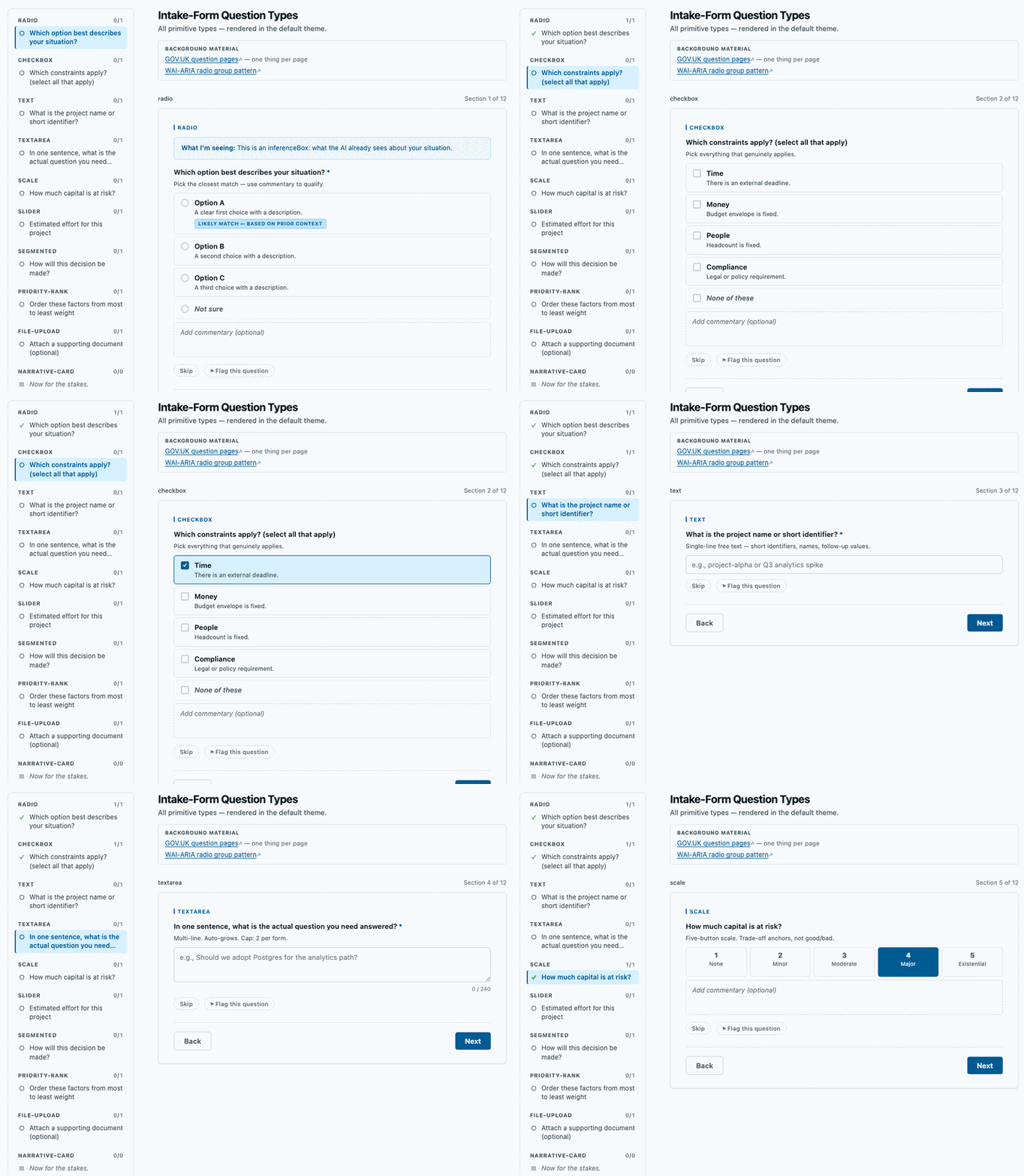
One self-contained file showing every question type — it opens in any browser and survives being emailed.
Quick links
- Open the live demo in a new tab — one HTML file, every question type
- View the source on GitHub
- Install as a Claude Code plugin:
/plugin marketplace add spunt/intake-formthen/plugin install intake-form@intake-form
The problem it solves
Agents do their worst work when the request is vague. The usual fix is a wall of clarifying questions in chat — slow, easy to lose, and hard for a person to answer carefully. The other failure mode is just as bad: an agent (or a developer) hand-writing form HTML, which drifts, duplicates state across views, and quietly breaks.
Intake Form is the small thing in between. You describe the questions as a JSON spec; a single bundled renderer builds the whole form — both a step-by-step wizard and an all-sections view — from that one source. The human answers in a calm, well-designed UI, and the export comes back as a tidy block an agent can act on directly.
It came out of my own agent workflows: before starting ambiguous work, an agent generates a form, I fill it in, and the answers flow back as structured context.
What you get back
The reviewer clicks Copy for Claude and the renderer auto-formats every answer into a labeled export — no custom code:
REVERSIBILITY:      Easily reversible
REVERSIBILITY_NOTE: reversible on paper, but the migration is one-way
CONSTRAINTS:        Time | Compliance
BUDGET:             SKIPPED (Doesn't apply)
EFFORT:             30   [UNTOUCHED DEFAULT — not confirmed by respondent]
FORMAT:             Report
FORMAT_FLAG:        Too specific — ask what the decision is first
Two design choices make that export trustworthy. Nothing is pre-selected — a guess the user waves through would be indistinguishable from an answer they chose, so the agent’s hypothesis appears as a visible “likely match” badge to accept or reject, never as a checked box. And the form can tell you it is wrong — any question can be skipped with a reason or flagged, and a form-level critique panel exports a block that tells the consuming agent to regenerate rather than proceed.
How it works
One spec drives both views from a single <script id="form-spec"> block, so there is no second copy of the questions to drift out of sync. The controls are real, keyboard-navigable <input>/<textarea>/range elements. Eleven question types ship — radio, checkbox, text, textarea, scale, slider, segmented, priority-rank, file-upload, plus two display-only types — with per-option follow-ups. Theming is a single OKLCH token layer set from the spec; five presets ship, all passing an accessibility audit. Everything is client-side: nothing is sent anywhere until the reviewer copies or exports.
It is an agent skill first — SKILL.md is plain Markdown, so Claude Code, Codex, or anything else that reads a skills directory can pick it up. It is also a Claude Code plugin, and it works with no agent at all: write a JSON spec and build it with the bundled CLI.
node tools/build.mjs my-spec.json --out my-form.html
License & source
MIT · full docs, the renderer, the authoring CLI, and the test suite live in the GitHub repository.